
Prairie to Peaks Mail & Shipping Solutions
Mail & Shipping / Envelope Inserters / 6210 Series
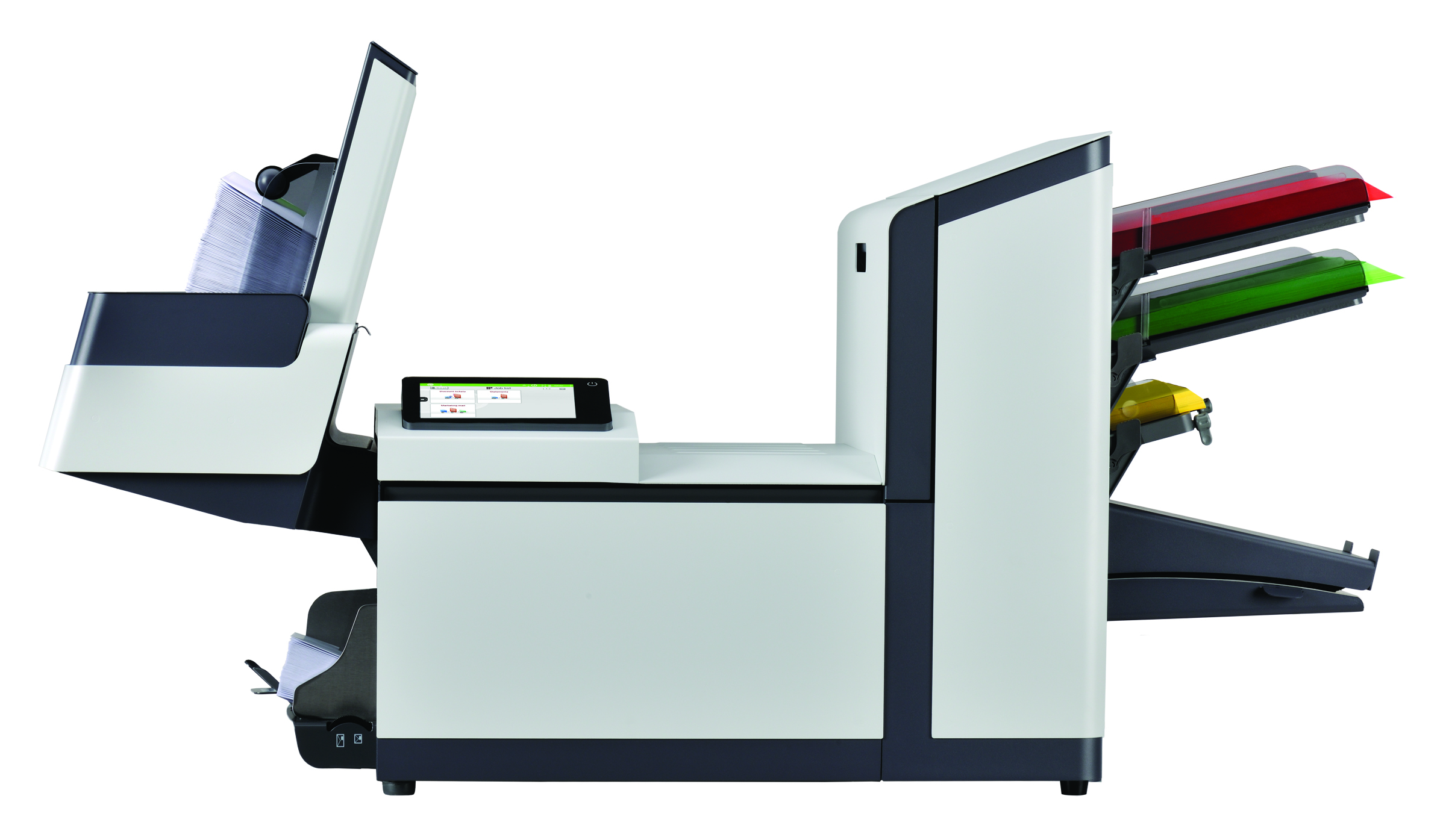
6210 Series inserters for offices and small mailrooms that need more than hand stuffing.
Finish invoices, statements, notices, letters, reply envelopes, and recurring customer mail without folding and stuffing every envelope by hand.
Prairie to Peaks reviews the mail piece, page count, inserts, reply envelopes, volume, and data workflow so the recommendation fits the way your mail is actually built.
Up to 2,500
envelopes/hour
Up to 20,000
envelopes/month
Inserts up to
5 sheets
MailDoc review
variable-page mail
Outgrown Hand Inserting
Reduce time spent folding, stuffing, sealing, and checking mail by hand.
Recurring Office Mail
Built for invoices, statements, notices, renewals, and repeat mail runs.
More Than Folding
Folds, inserts, seals, and stacks finished envelopes closer to ready-to-mail.
Variable-Page Ready
MailDoc and scanning options may improve control before inserting.
6210 Series at a Glance
A better fit when hand inserting is too slow, but a larger production system is not needed.
The 6210 Series is meant for offices and small mailrooms that need a more repeatable way to fold, insert, seal, and finish recurring mail without jumping into a larger modular production inserter.
Four model configurations
The 6210 Series can be configured for basic sheet feeding, two-sheet feeding, insert/BRE feeding, or special insert/BRE work depending on the type of mail being processed.
AutoSet and programmable jobs
AutoSet helps set up new jobs by measuring paper length, envelope size, and fold length. Recurring jobs can be stored as programmable jobs to make repeat work easier.
Touchscreen operation
A color touchscreen with graphical interface helps operators set up, run, and monitor jobs without making the machine feel like a production-floor system.
Room for smarter jobs
Optional scanning can support jobs that need more mail piece control, depending on configuration and application.
Vertical output stacker
The high-capacity vertical stacker helps keep finished envelopes organized and reduces the amount of time spent clearing small output trays.
Product Views
See the parts that affect your mail flow
These views show the areas that matter most when deciding whether the 6210 Series fits your office: how documents are fed, how inserts can be added, how jobs are controlled, and how finished envelopes are collected.
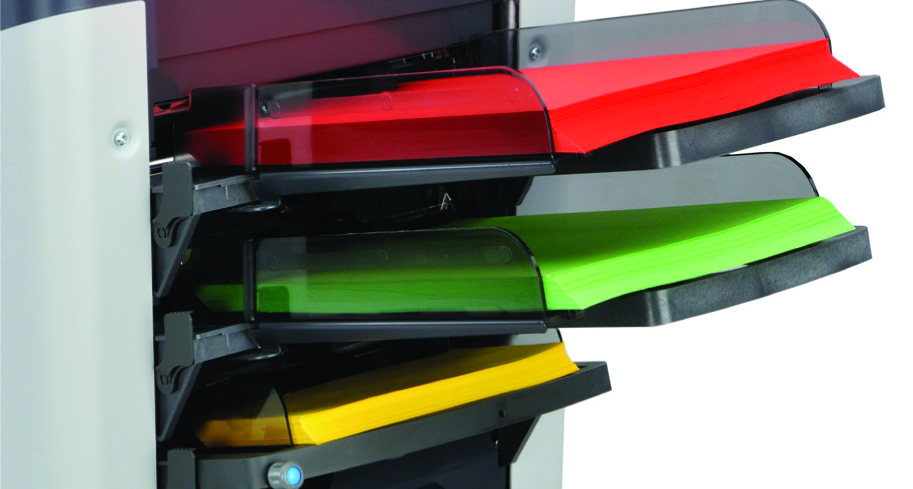
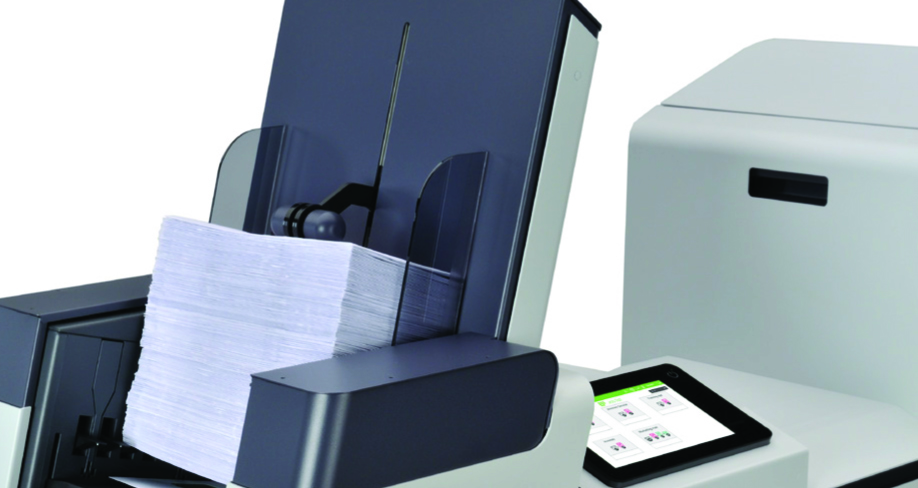
Document Feeding Area
This is where your letters, invoices, notices, or statement pages are loaded before the 6210 folds and inserts them. The right feeder setup helps match the machine to the way your daily mail is actually built.
Specs to know
- Feeders hold up to 325 sheets each, 20 lb. bond
- Supports multi-sheet feeding for thicker document sets
- Sheet size range: 3.5" - 14" H x 5" - 9" W
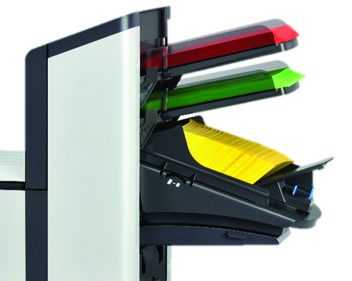
Production Feeder
If your envelope needs more than the main document, the production feeder can help add reply envelopes, coupons, forms, or short inserts without turning the job back into hand work.
Specs to know
- Optional feeder for BREs or short inserts
- Holds up to 325 BREs
- Holds up to 1,200 inserts up to 6" long
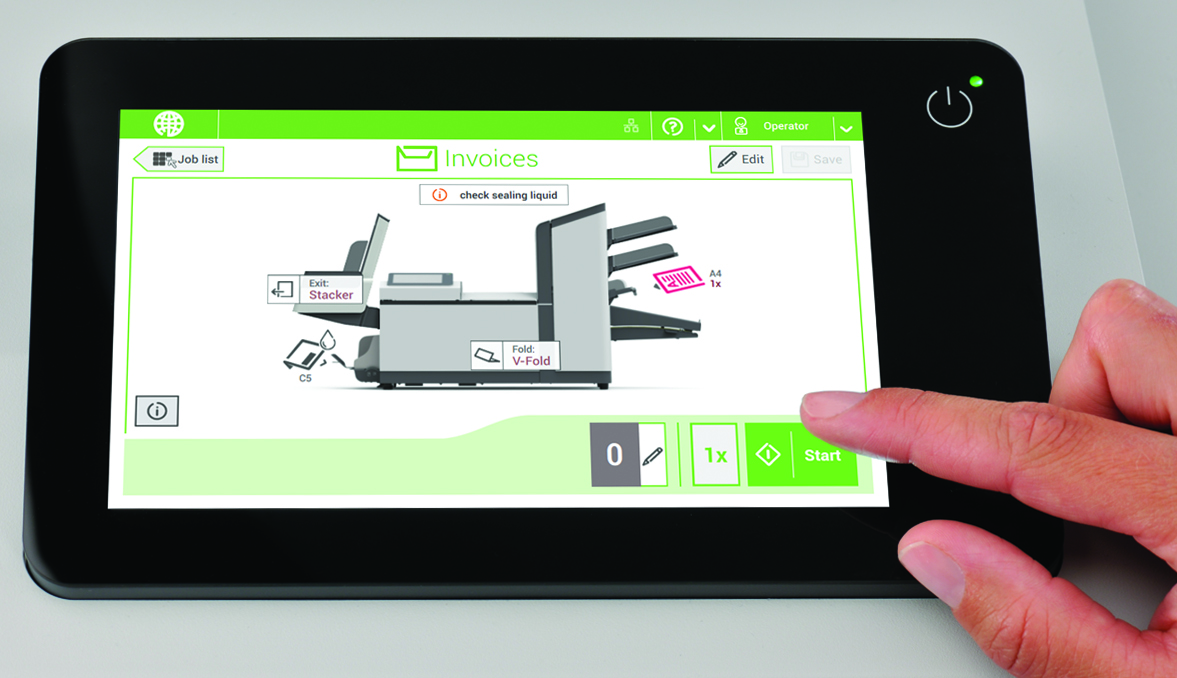
Touchscreen Job Control
The touchscreen is what helps make repeat work easier. Operators can set up jobs, use AutoSet for new work, and bring back frequent jobs without rebuilding everything from scratch.
Specs to know
- 7" full-color touchscreen control panel
- AutoSet one-touch job setup
- Stores up to 50 programmable jobs
Vertical Output Stacker
Finished envelopes stay stacked and easier to handle after the run. This matters when a job is large enough that constantly clearing a small tray would slow the operator down.
Specs to know
- High-capacity vertical output stacker
- Holds up to 500 filled envelopes
- Top-loading envelope hopper holds up to 150 envelopes
Specifications can vary by configuration, media, envelopes, inserts, and options. Prairie to Peaks can review your actual mail pieces before recommending the final setup.
Best Fit
The 6210 Series is often the next step when hand work or a low-end inserter is no longer working.
At this level, many offices are not starting from scratch. They are either folding documents on a machine and inserting by hand, or they already have a small folder inserter that is unreliable, hard to service, or falling behind.
The goal is not just to buy another machine. The goal is to build a more dependable mail process around your real documents, envelopes, inserts, staff time, and service needs.
Still Inserting by Hand
If your team already folds invoices, statements, notices, or letters but still stuffs and seals envelopes manually, the 6210 can help remove the slowest part of the process.
Inserter Falling Behind
A small or inexpensive folder inserter may work for light jobs, but it can become frustrating when jams, setup time, missed feeds, or limited capacity start costing your staff time.
Service Problems Cost Time
When mailing is tied to billing, statements, renewals, notices, or compliance deadlines, poor support and unreliable equipment become more than an inconvenience. They become a business problem.
Ready for Mid-Volume Mail
The 6210 sits between basic tabletop inserting and larger production systems, making it a strong fit when you need a more controlled process without jumping into more machine than your mail requires.
Jobs Take Too Long
If routine mailings are tying up people for hours, the 6210 can help move folding, inserting, sealing, and stacking into a cleaner repeatable process.
Inserts Add Risk
When mail pieces include reply envelopes, notices, extra pages, or customer-specific inserts, a better inserter can help reduce rework and keep jobs moving.
Not sure which situation fits you?
Prairie to Peaks can review your current process, machine issues, service concerns, monthly volume, page counts, inserts, envelopes, and future growth before recommending the 6210 or another path.
Specifications
6210 Series Specifications
This is the cleaner specification view: machine limits, standard features, and optional upgrades are grouped together so you can see what is included and what should be reviewed before quoting.
Core machine specs
Published specs- Speed
- Up to 2,000/hour standard; up to 2,500/hour with optional Productivity Package
- Monthly duty cycle
- Up to 15,000/month standard; up to 20,000/month with optional Productivity Package
- Standard sheet feeders
- Up to 325 sheets each, based on 20 lb. bond
- Envelope hopper
- Up to 150 envelopes, top loading, refillable without stopping the inserting process
- Output stacker
- Up to 500 filled envelopes in sequential order
- Sheet size
- 3.5"-14" H x 5"-9" W
- Envelope size
- 3.5"-6.35" H x 6.3"-9.7" W; common 6" x 9.5"
- Dimensions
- 49" L x 36" H x 16.5" W
- Power
- 120 V AC, 60 Hz
Configuration notes
Fit review- Available configurations
- Basic 1, Basic 2, Advanced 2, and Special 2
- Best use range
- Office and small mailroom inserting with recurring jobs
- Fold and insert capacity
- Up to 5 pages in half-fold; up to 8 with optional Productivity Package
- Multi-sheet feeding
- Up to 3 sheets from one feeder; up to 10 unfolded sheets with optional Productivity Package
- Fold types
- C, V, Z, double parallel, and no-fold jobs
- Seal options
- Seal or non-seal operation, depending on the job
- Document integrity
- Electromechanical double document detection helps catch double feeds without relying on paper color or print coverage
- Media testing
- Paper, envelopes, inserts, and folds should be tested before final configuration
Standard Features
Included features and what they mean
These are standard 6210 Series capabilities. The right model still depends on how many feeders, inserts, reply envelopes, and software tools your mail needs.
| Standard item | What it means for your workflow |
|---|---|
| 7" color touchscreen | Gives operators a graphics-based control panel for setup, prompts, and job operation. |
| AutoSet™ setup | Automatically senses paper length, fold type, envelope size, fold length, and double document detection settings. |
| 50 programmable jobs | Stores recurring jobs so repeat mailings can be set up faster and more consistently. |
| Presence sensors | Envelope and paper sensors show graphic indicators on the touchscreen to help operators correct loading issues. |
| Top-loading hopper | Holds up to 150 envelopes and can be refilled without stopping the inserting process. |
| Vertical output stacker | Stacks up to 500 completed envelopes in a neat, sequential order for easier handling after the run. |
| Multi-sheet feeding | Feeds multiple sheets from one feeder when the job requires more than a single page. |
| Accumulate before folding | Gathers documents together before folding so the set is folded and inserted as one mail piece. |
| Double document detection | Uses electromechanical sensing, which is valuable because it is not affected by dust, smudges, or paper color the way simple visual checking can be. |
| Easy paper-path access | The clamshell-style access helps operators clear and inspect the paper path faster when needed. |
| Multiple insert capability | Allows sheets, reply envelopes, cards, or inserts to be combined in the right configuration for the job. |
| Daily mail mode | Helps with small one-off or hand-fed sets that still need to be inserted and sealed. |
| Fold-only mode | Can fold documents without inserting them into envelopes when the job calls for folding only. |
| Cascade mode | Connects feeders with the same document so the next feeder starts automatically when one feeder empties. |
| ECO mode | Places the inserter into sleep mode after one hour of inactivity to reduce idle energy use. |
Optional Upgrades
Optional equipment and software
These items are not automatically included. They should be reviewed when speed, inserts, scanning, document integrity, postal preparation, or software workflow matters.
| Optional item | What it adds |
|---|---|
| Productivity Package | Raises published output to up to 2,500 pieces/hour and up to 20,000 pieces/month. It can also increase folding and multi-sheet feeding capacity for heavier jobs. |
| Production Feeder | Holds up to 325 BREs or up to 1,200 inserts up to 6" long. Available for Advanced 2 and Special 2 configurations. |
| Short Feed Trays | Useful for shorter inserts or reply pieces; published capacity is up to 50 BREs or up to 325 short inserts. |
| Full-Page CIS Scanner | Spans the width of the feeders and can read OMR, 1D barcode, 2D barcode, QR code, and OCR marks printed horizontally or vertically. |
| Code Reading Licenses | Adds the license needed for single-track OMR, dual-track OMR, 1D barcode, 2D Data Matrix, QR code, or multi-code reading. |
| Side Exit Tray | Front or rear side-exit handling can support layout needs and can hold up to 225 envelopes. |
| Catch Tray | Adds a smaller output collection point for completed mail, with published capacity up to 100 envelopes. |
| Custom Cabinets | Worth reviewing when storage, equipment height, staging, or mailroom layout matters. |
| 402 Series Jogger | Helps square and prepare paper stacks before feeding, especially when print output needs to be organized before inserting. |
| MailDoc Beginner | Optional software that can add OMR or barcode marks to PDF print files for intelligent inserting. |
| MailDoc Professional | Optional software for variable-page invoices, statements, grouping, sequence control, overlays, selective feeding, and divert logic. |
| Postal Module | Optional MailDoc module that can support CASS, PAVE presort, and NCOA review before printing and inserting. |
Specs should match your real mail.
Sheet count, envelope size, inserts/BREs, paper weight, monthly volume, current issues, print stream, & software all affect the right configuration.
Configuration Review
Match the 6210 to the way your mail is built.
You do not need to know the model number. Prairie to Peaks reviews your pages, inserts, reply envelopes, job types, and volume so the configuration fits the work you actually mail.
Basic 1 • One Feeder
Best when your job uses one sheet feeder and one document stack going into envelopes. A practical step up from folding by machine and inserting by hand.
One feeder for repeatable mail.
Basic 2 • Two Feeders
Fits mail that needs two sheet feeders, such as a statement plus a notice, invoice, or supporting document.
Two feeders for added pages.
Advanced 2 • Inserts
Built for envelopes that may include a reply envelope, coupon, return form, insert, or extra customer communication.
Good when the envelope needs more.
Special 2 • Flexible Jobs
Fits changing jobs, varied inserts, or non-standard pieces without jumping to a larger production inserter.
Good for changing mail needs.
Not sure which setup fits?
Send a sample of what you mail today. We can review sheet count, inserts/BREs, envelope size, fold type, monthly volume, current equipment issues, print stream, and software before recommending a configuration.
Review My MailCompare by Volume and Complexity
Will a different model work better for you?
Use this section as a quick guide, not a final answer. The right inserter depends on what you mail, how often you mail it, how many pages go into each envelope, whether you need inserts/BREs, and how much room your process needs to grow.
Other Paths
AlternativesBefore an inserter
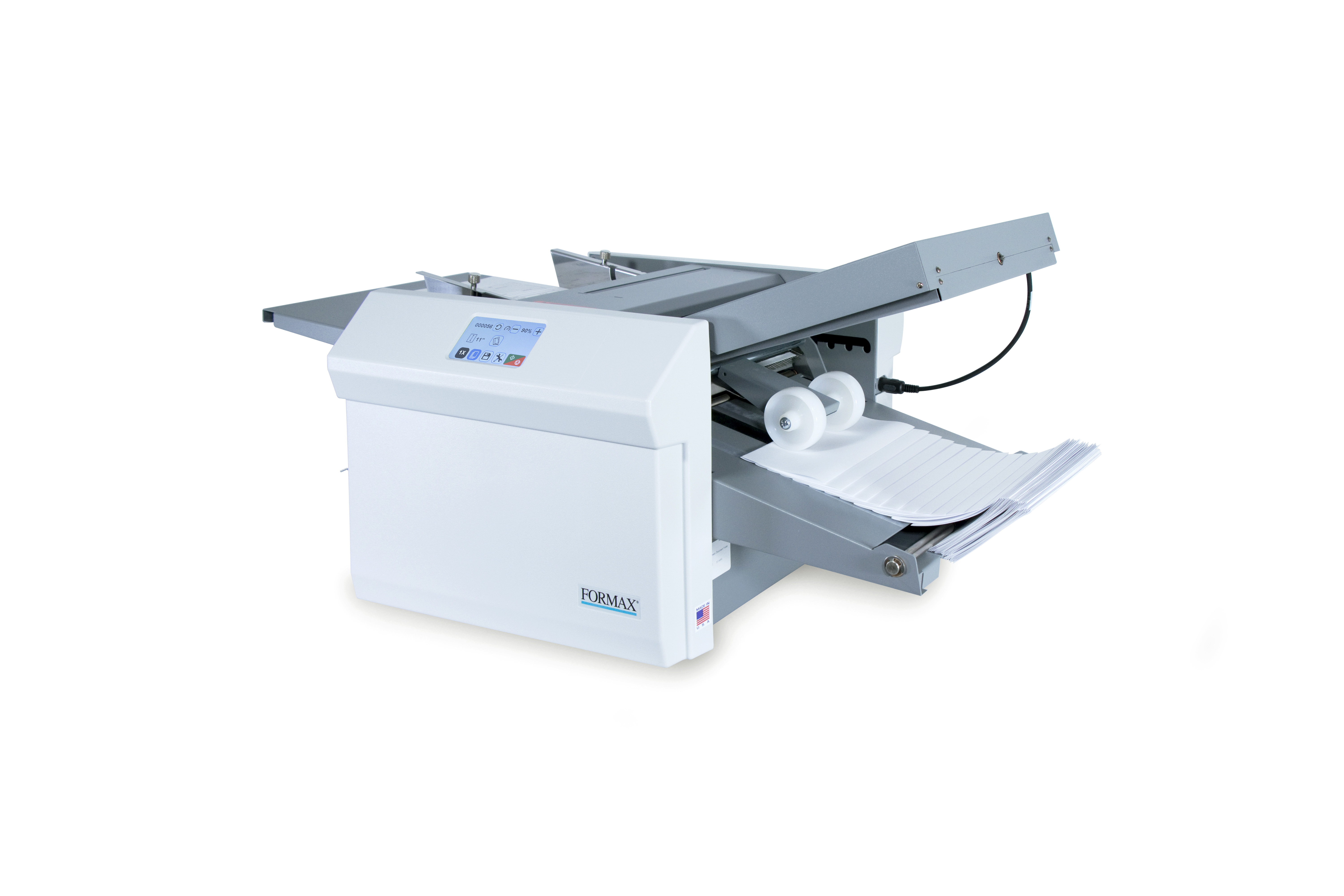
If you only need folded documents, or if the document can become the mail piece itself, a folder or pressure sealer may be the better fit.
FD 6104
Lower VolumeUnder 5,000/month
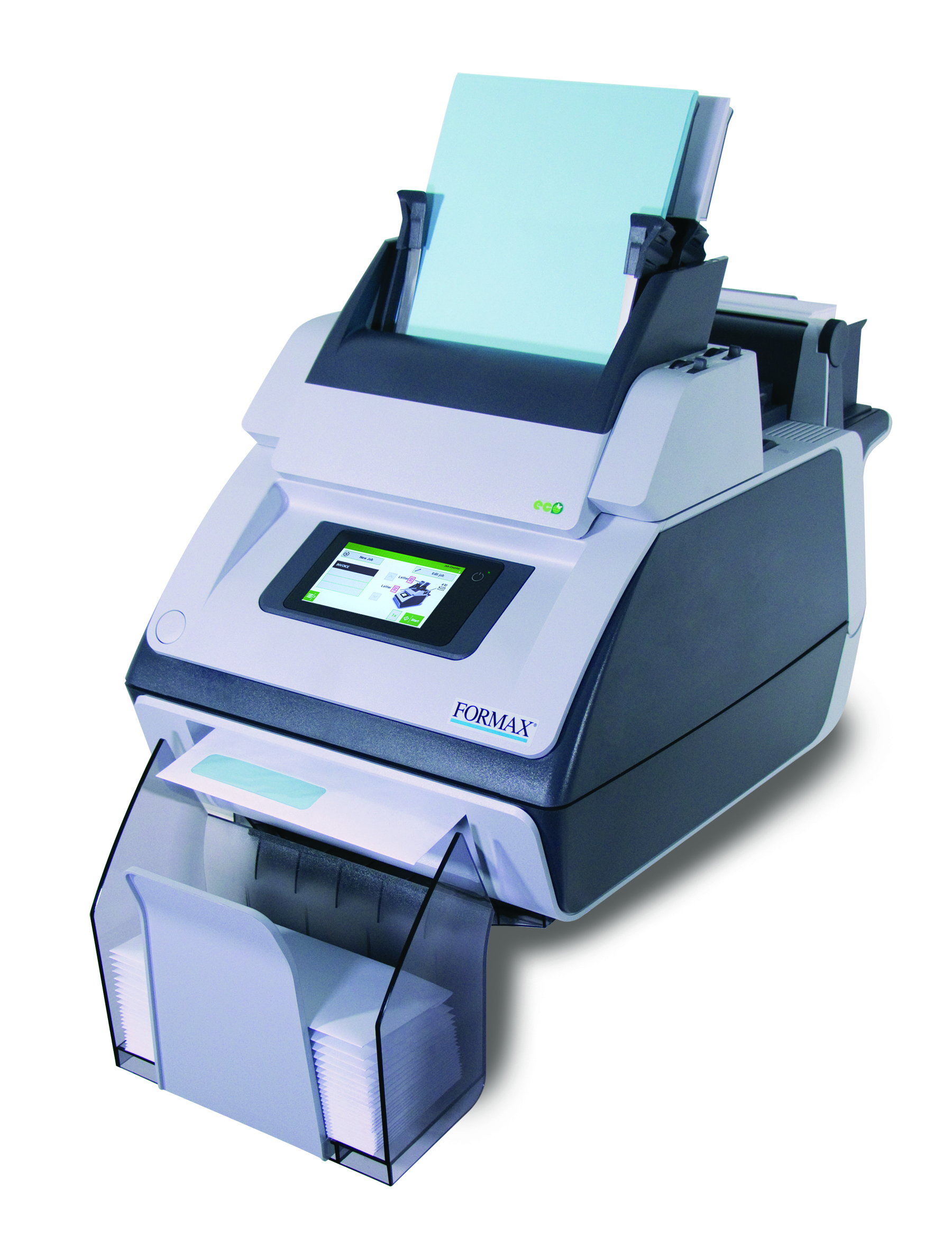
A good starting point when your team needs relief from hand folding and inserting, but your monthly volume and job complexity are still light.
View FD 6104 →
6210 Series
You Are Here5,000–20,000/month
The right middle ground when hand inserting is too slow, an entry-level inserter is not keeping up, and a larger production system is more than you need.
Ask About 6210 →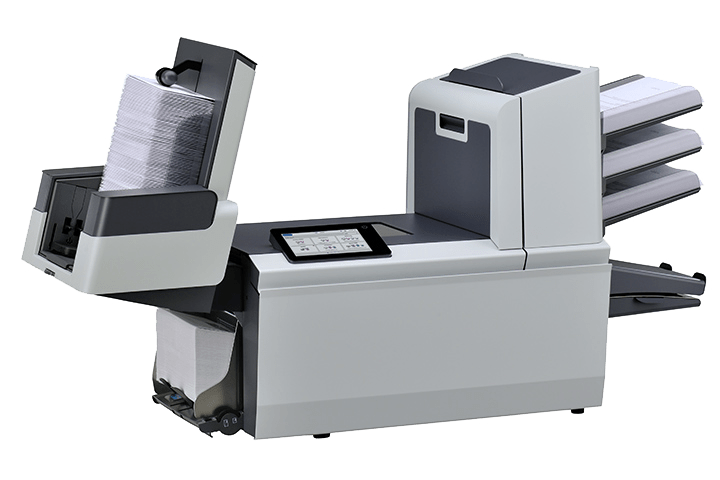
6308 Series
Step Up20,000–40,000/month
Consider this next step when the 6210 feels tight, your recurring runs are growing, or your mail sets need more capacity and control.
View 6308 Series →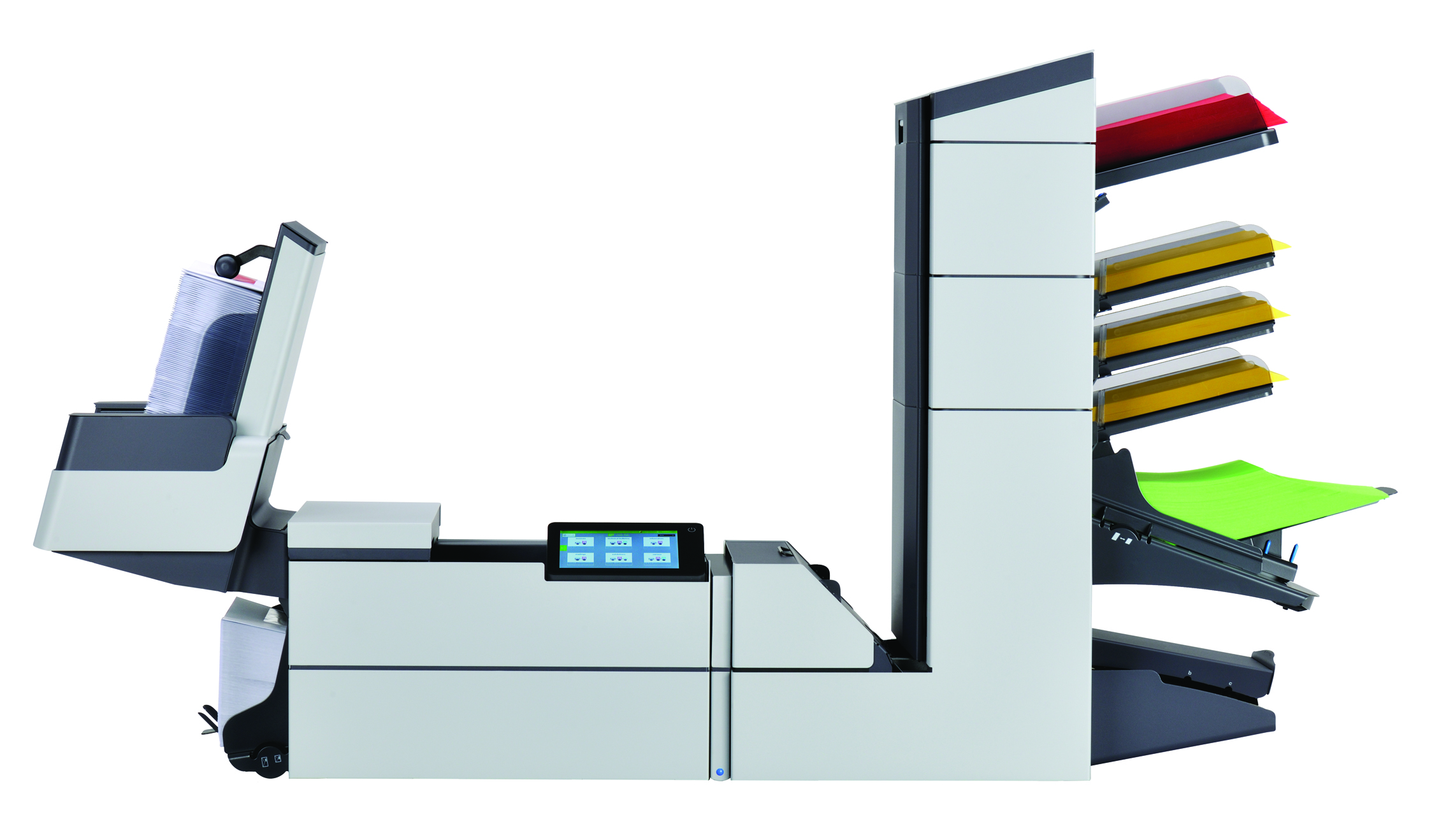
6406 Series
Mid Volume40,000–60,000/month
A stronger fit when your mailroom needs more mid-volume capacity, added feeder flexibility, and room for more demanding recurring jobs.
View 6406 Series →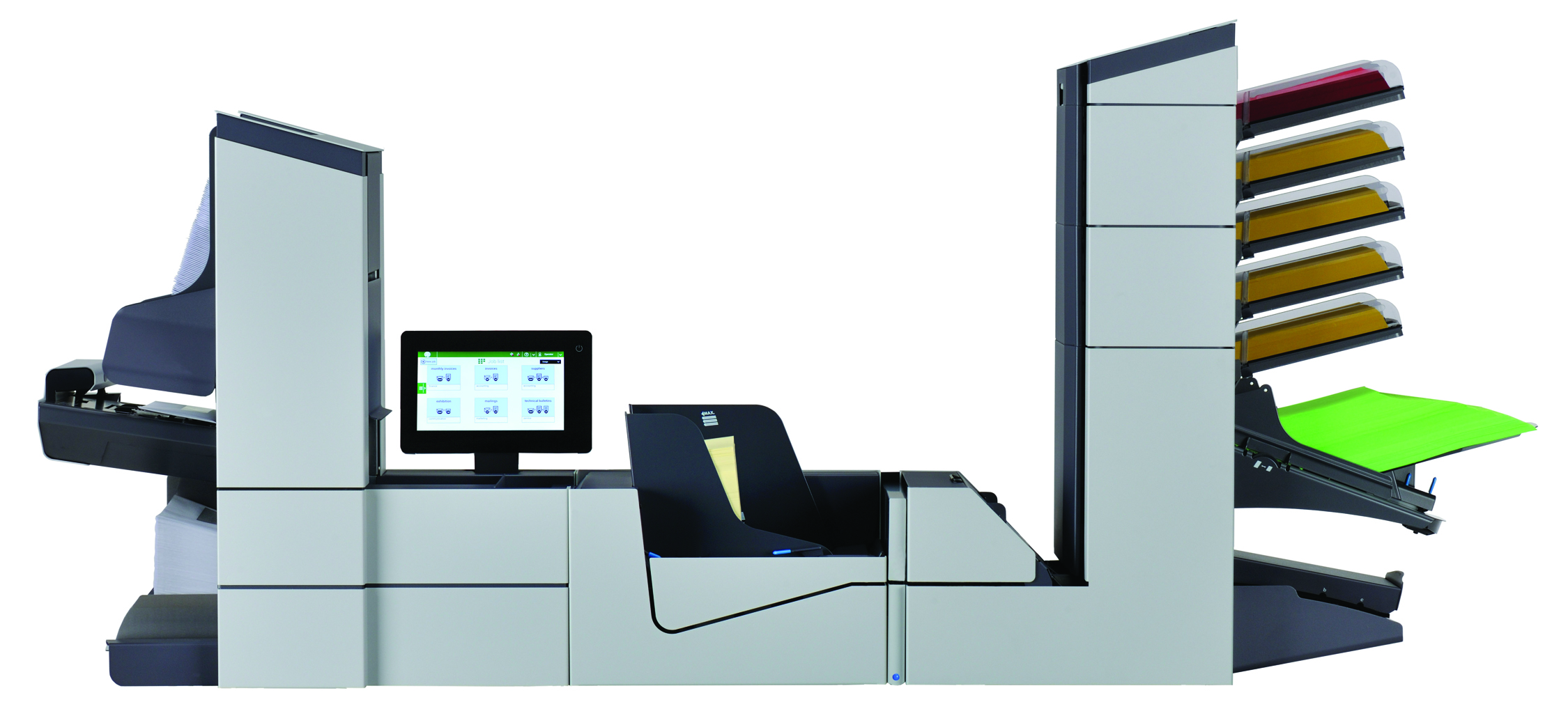
6608 Series
Mid/High60,000–80,000/month
Built for teams that need higher throughput, modular feeder options, and stronger support for complex mail without jumping straight to full production.
View 6608 Series →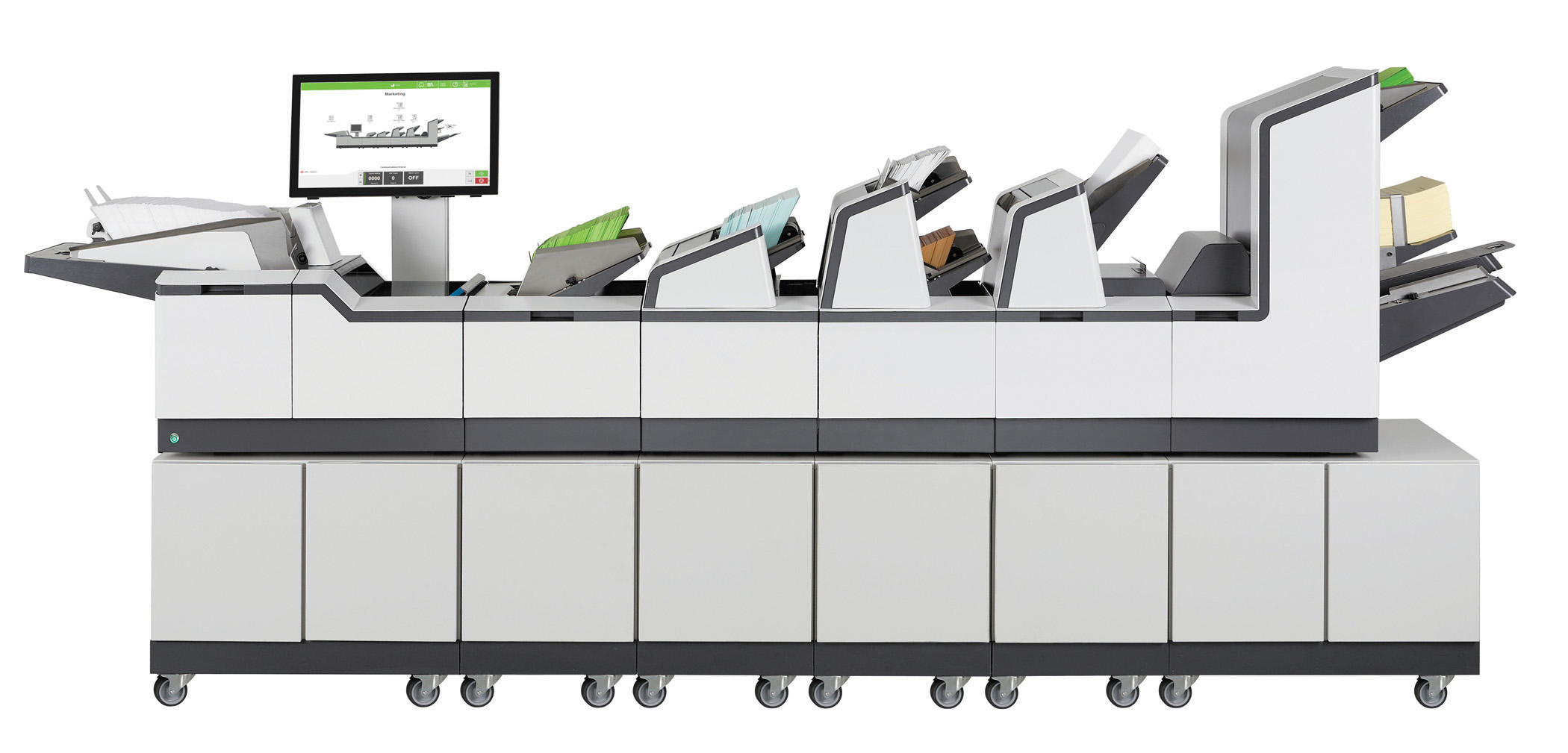
7104 Series
Production80,000–180,000/month
A better fit for larger departments where mail is a daily production responsibility and speed, feeder capacity, and repeatability matter.
View 7104 Series →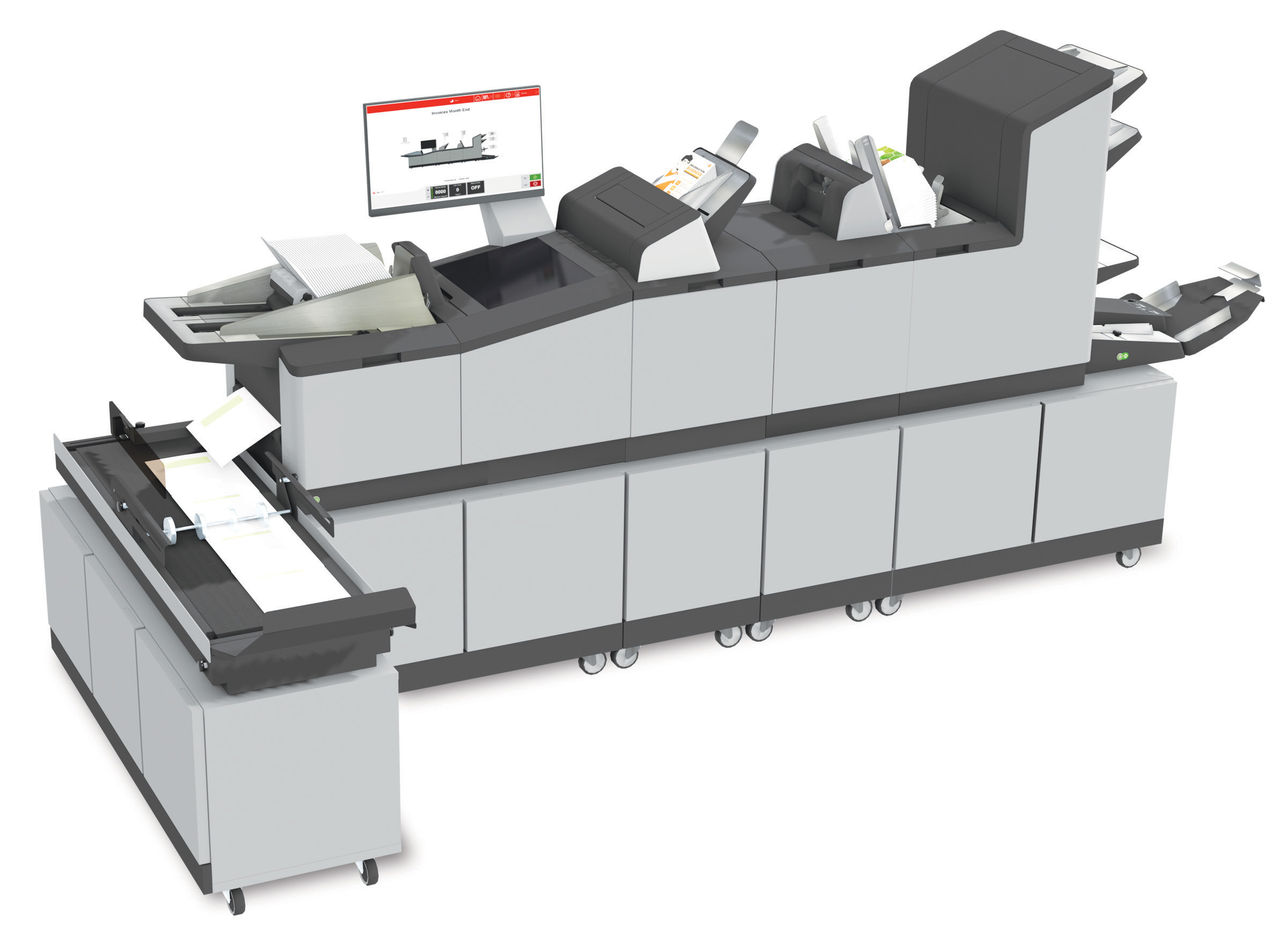
7700 Series
Highest Volume180,000+/month
Best when mail becomes full production work with very high volume, flats, thicker sets, advanced document control, or complex job requirements.
View 7700 Series →Volume helps narrow the field, but your workflow decides the fit.
Simple jobs may stay smaller.
If you mail 7,000 simple invoices per month with few inserts or special requirements, the 6210 may be enough machine.
Complex jobs may need more room.
If the same 7,000 pieces include multiple sheets, inserts, BREs, matching, or scanning, it may be worth comparing the 6308 or 6406.
Light volume may not need 6210.
If you mail 2,000 simple pieces per month, the FD 6104 may solve the problem without moving into a larger system.
Brochure & Setup Review
Review the 6210 details before choosing a configuration.
View or download the 6210 Series brochure to compare configurations, productivity options, touchscreen controls, output handling, and available document intelligence before you decide what belongs in your mailroom.
Workflow Review
Before choosing the 6210, review the whole mail process.
The right setup depends on more than the machine. Prairie to Peaks looks at what you mail, how it is prepared, and what slows the job down today.
1. Mail Piece
Pages, folds, inserts, BREs, envelopes, and paper weight.
2. Volume
Daily runs, monthly volume, peak cycles, and growth.
3. Current Issues
Hand work, jams, poor service, slow setup, or missed feeds.
4. Best Path
6210, FD 6104, larger inserter, pressure seal, MailDoc, or data cleanup.
Other Ways to Process This Mail
The best answer may be more than just an inserter.
Before choosing equipment, it helps to review what you mail, how it is printed, how many pages go to each recipient, and whether the finished piece really needs an envelope.
Folder Inserter
Keep your mail in envelopes.
A folder inserter is usually the right path when your mail needs an envelope, multiple pages, inserts, reply envelopes, privacy, or a more professional presentation.
- • Good for invoices, statements, notices, letters, renewals, and customer packets.
- • Helps reduce hand folding, stuffing, sealing, checking, and rework.
- • Best when the envelope still matters to the customer or the process.
Envelope
The document becomes the finished mail piece.
Pressure Sealer
Mail without an envelope.
Pressure seal may be a better path when the document can be printed, folded, sealed, and mailed as the finished piece without a separate envelope.
- • Good for statements, checks, tax forms, notices, invoices, and recurring forms.
- • May reduce envelopes, inserting, sealing, and repeated mailroom handling.
- • Best when the document design fits a sealed self-mailer format.
OMR
BCR
MailDoc Professional
Variable pages • Marks • Grouping
MailDoc Professional
Prepare variable-page mail.
MailDoc Professional may help when different recipients receive different page counts and the inserter needs marks, grouping, and control before the job runs.
- • Good for invoices, statements, notices, and customer documents with variable pages.
- • Can add OMR or barcode marks for intelligent inserting and job control.
- • May support grouping, sequence checks, selective feeding, and presort review.
Statement Workflow Review
Outsourcing statements or printing variable-page mail?
Prairie to Peaks can review your document file, page counts, mail piece, inserts, data quality, presort opportunity, and equipment path before recommending an inserter, pressure sealer, MailDoc, or data solution.
Review My WorkflowReview whether the 6210 Series is the right level.
Share your volume, document types, inserts, envelope sizes, and current hand work. Prairie to Peaks will help determine whether the 6210 Series, FD 6104, pressure seal, MailDoc Professional, data cleanup, or a larger inserter is the best next step.